
FlexClip Review 2026: The AI Video Maker That Does It All — Without Any Technical Skills
A comprehensive review of FlexClip — the browser-based, AI-powered video creation platform trusted by 5M+ users worldwide.
Let’s be honest — video creation used to be intimidating. You needed expensive software, a powerful computer, hours of learning, and sometimes even a professional editor to produce something that actually looked good. Those days are over. Welcome to FlexClip, an AI-powered online video maker and editor that is changing the way individuals, businesses, educators, and marketers create video content — no filming, no actors, and absolutely no technical expertise required.
In this review, we take a deep dive into everything FlexClip offers, from its powerful AI tools to its massive template library and collaborative features, so you can decide if it’s the right tool for your video creation journey.
What Is FlexClip?
FlexClip (flexclip.com) is a browser-based video creation platform developed by PearlMountain, a company with over 10 years of experience in graphics and multimedia software. It combines a clean drag-and-drop editor with an ever-growing suite of AI-powered tools — making it one of the most accessible yet surprisingly capable platforms in its category.
With over 5 million registered users, 10 million+ videos downloaded, and ratings of 4.3–4.7 stars across major review platforms, FlexClip has earned its place as a go-to video solution for everyone from YouTubers and social media marketers to educators, photographers, and small business owners.
Getting Started: No Learning Curve Required
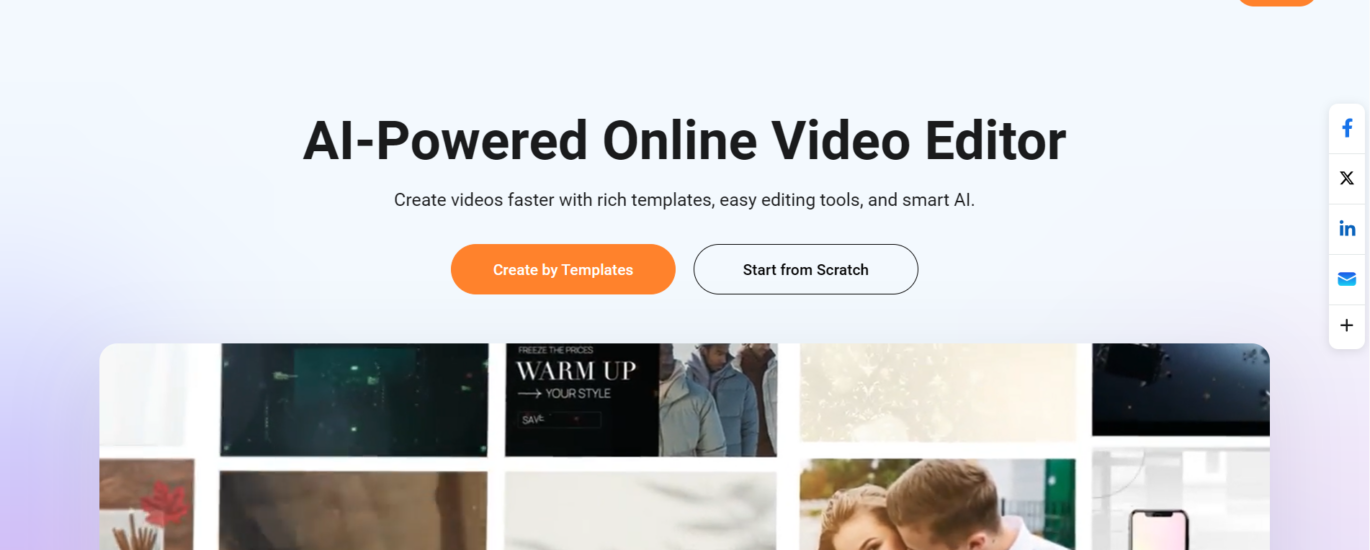
One of FlexClip’s biggest selling points is how instantly approachable it is. You don’t need to install anything. Just visit the website, sign up for free, and you’re inside the editor within minutes. You can begin with one of the 6,000+ professionally designed templates or start completely from scratch.
Templates are organized by use case — business videos, wedding slideshows, TikTok clips, YouTube intros, birthday videos, real estate promos, news videos, and much more. The variety is genuinely impressive, and each template is fully customizable. You’re never locked into the original design.
The editor itself feels familiar if you’ve ever used any presentation software. You’ll find a timeline at the bottom, a preview in the center, and a media/asset panel on the left. Everything is clearly labelled and intuitive — beginners can produce a polished video within their first session.
AI Tools That Truly Revolutionize Video Creation
Here’s where FlexClip really shines. The platform has packed in a remarkable number of AI-powered features that handle complex tasks in seconds. Let’s walk through the highlights:
AI Video Generator & Text to Video
Simply describe what you want, and FlexClip’s AI will generate a complete video for you. This tool is perfect for marketers, bloggers, and educators who want to turn articles or scripts into engaging video content without recording a single frame.
AI Image to Video & 3D Photo Animation
Upload a static product photo or portrait and watch FlexClip’s AI bring it to life. The 3D photo animation tool adds depth and motion to still images — a feature that’s especially useful for e-commerce sellers, photographers, and social media creators.
AI Auto Subtitle & AI Translator
FlexClip auto-generates captions from your video’s audio in just a few clicks. Even better, the AI Translator allows you to create multi-language versions of your video content — a game-changer for creators and businesses targeting global audiences.
AI Text to Speech & Voice Cloning
Type your script and choose from a variety of AI voices to narrate your video automatically. The Voice Cloning feature takes this a step further — you can replicate a specific voice style for consistent branded content across all your videos.
AI PPT to Video, PDF to Video & Product URL to Video
These three tools are particularly exciting for business users. Paste in a product URL or upload a PowerPoint or PDF, and FlexClip’s AI converts it into a ready-to-share video. This dramatically cuts down production time for marketing teams and educators alike.
Supported AI Models
FlexClip doesn’t just use one AI model — it integrates with several of the world’s leading AI engines, giving you access to the best technology available:
- Sora 2 & Veo 3 — state-of-the-art video generation models
- Kling AI & Hailuo AI — powerful models for realistic video creation
- GPT-4o — for intelligent image generation and editing
- Imagen 4 & Flux — high-quality image synthesis models
- Seedream 4.0 & Hunyuan — advanced image generation options
Having access to multiple top-tier AI models from a single platform is an enormous advantage — you’re not locked into any one vendor’s output quality.
Rich Media Library & Resources
Beyond AI tools, FlexClip gives you access to an enormous stock library that covers everything you could possibly need for your videos:
- 4M+ stock videos and photos available for commercial use
- 74,000+ music tracks and sound effects
- 1,000+ text presets and animated text styles
- 3M+ dynamic elements (stickers, icons, animations)
- 700+ video effects and filters
- 200+ smooth transitions
All resources are constantly updated and available with one-click application, so you never need to leave the platform hunting for assets.
Collaboration, Cloud Storage & Export
FlexClip isn’t just for solo creators. Teams can collaborate directly within the platform, making it a great choice for marketing departments, agencies, and creative studios. Cloud storage means your projects are always accessible from any device, and there’s no risk of losing your work.
When it’s time to share your creation, FlexClip supports export up to 4K resolution. You can also share directly to social platforms including YouTube, Facebook, Instagram, TikTok, and Twitter — saving you the step of downloading and re-uploading.
Who Is FlexClip Best For?
FlexClip is genuinely one of the most versatile video tools available today. It’s an excellent fit for:
- Content creators and YouTubers who need fast, polished videos without heavy editing
- Small businesses and marketers looking to produce promotional videos on a budget
- Educators and teachers who want to create engaging learning materials
- E-commerce sellers who need quick product ads from a single image or URL
- Social media managers who produce high volumes of videos for multiple platforms
- Complete beginners with zero video editing experience
Final Verdict: Is FlexClip Worth It?
Absolutely. FlexClip strikes a rare balance between power and simplicity. The breadth of AI tools available — from text-to-video and voice cloning to auto-subtitles and product URL conversion — would normally require multiple separate subscriptions to different services. FlexClip brings all of this under one roof, accessible from any browser, at a price point that includes a free tier.
The platform’s integration with leading AI models like Sora 2, Veo 3, and GPT-4o ensures you’re working with cutting-edge technology rather than outdated algorithms. And with 10+ years of development experience behind it, FlexClip is a mature, reliable platform — not just another AI trend.
If you’ve been putting off video creation because it seemed too complicated or expensive, FlexClip is your answer. Head to flexclip.com to get started for free and experience firsthand how easy professional video creation can be in 2026.
⭐⭐⭐⭐⭐ Overall Rating: 4.7 / 5
Ease of Use · AI Feature Depth · Template Variety · Value for Money
🏫 Recommended School Automation & ERP Resources
Looking to streamline school admissions, fee collection, attendance, and exam management? Discover our top-rated guides:
- Explore the comprehensive ranking of Best School Management softwares in Hyderabad.
- Compare features, modules, and pricing in our guide to the Best School ERP software in Hyderabad.
Direct ERP Demo & Official Portal: AOWSM (aowsm.in) | WhatsApp Assistance: +91 8885411511
FlexClip Review 2026: The AI Video Maker That Does It All — Without Any Technical Skills
A comprehensive review of FlexClip — the browser-based, AI-powered video creation platform trusted by 5M+ users worldwide.
Let’s be honest — video creation used to be intimidating. You needed expensive software, a powerful computer, hours of learning, and sometimes even a professional editor to produce something that actually looked good. Those days are over. Welcome to FlexClip, an AI-powered online video maker and editor that is changing the way individuals, businesses, educators, and marketers create video content — no filming, no actors, and absolutely no technical expertise required.
In this review, we take a deep dive into everything FlexClip offers, from its powerful AI tools to its massive template library and collaborative features, so you can decide if it’s the right tool for your video creation journey.
What Is FlexClip?
FlexClip (flexclip.com) is a browser-based video creation platform developed by PearlMountain, a company with over 10 years of experience in graphics and multimedia software. It combines a clean drag-and-drop editor with an ever-growing suite of AI-powered tools — making it one of the most accessible yet surprisingly capable platforms in its category.
With over 5 million registered users, 10 million+ videos downloaded, and ratings of 4.3–4.7 stars across major review platforms, FlexClip has earned its place as a go-to video solution for everyone from YouTubers and social media marketers to educators, photographers, and small business owners.
Getting Started: No Learning Curve Required
One of FlexClip’s biggest selling points is how instantly approachable it is. You don’t need to install anything. Just visit the website, sign up for free, and you’re inside the editor within minutes. You can begin with one of the 6,000+ professionally designed templates or start completely from scratch.
Templates are organized by use case — business videos, wedding slideshows, TikTok clips, YouTube intros, birthday videos, real estate promos, news videos, and much more. The variety is genuinely impressive, and each template is fully customizable. You’re never locked into the original design.
The editor itself feels familiar if you’ve ever used any presentation software. You’ll find a timeline at the bottom, a preview in the center, and a media/asset panel on the left. Everything is clearly labelled and intuitive — beginners can produce a polished video within their first session.
AI Tools That Truly Revolutionize Video Creation
Here’s where FlexClip really shines. The platform has packed in a remarkable number of AI-powered features that handle complex tasks in seconds. Let’s walk through the highlights:
AI Video Generator & Text to Video
Simply describe what you want, and FlexClip’s AI will generate a complete video for you. This tool is perfect for marketers, bloggers, and educators who want to turn articles or scripts into engaging video content without recording a single frame.
AI Image to Video & 3D Photo Animation
Upload a static product photo or portrait and watch FlexClip’s AI bring it to life. The 3D photo animation tool adds depth and motion to still images — a feature that’s especially useful for e-commerce sellers, photographers, and social media creators.
AI Auto Subtitle & AI Translator
FlexClip auto-generates captions from your video’s audio in just a few clicks. Even better, the AI Translator allows you to create multi-language versions of your video content — a game-changer for creators and businesses targeting global audiences.
AI Text to Speech & Voice Cloning
Type your script and choose from a variety of AI voices to narrate your video automatically. The Voice Cloning feature takes this a step further — you can replicate a specific voice style for consistent branded content across all your videos.
AI PPT to Video, PDF to Video & Product URL to Video
These three tools are particularly exciting for business users. Paste in a product URL or upload a PowerPoint or PDF, and FlexClip’s AI converts it into a ready-to-share video. This dramatically cuts down production time for marketing teams and educators alike.
Supported AI Models
FlexClip doesn’t just use one AI model — it integrates with several of the world’s leading AI engines, giving you access to the best technology available:
- Sora 2 & Veo 3 — state-of-the-art video generation models
- Kling AI & Hailuo AI — powerful models for realistic video creation
- GPT-4o — for intelligent image generation and editing
- Imagen 4 & Flux — high-quality image synthesis models
- Seedream 4.0 & Hunyuan — advanced image generation options
Having access to multiple top-tier AI models from a single platform is an enormous advantage — you’re not locked into any one vendor’s output quality.
Rich Media Library & Resources
Beyond AI tools, FlexClip gives you access to an enormous stock library that covers everything you could possibly need for your videos:
- 4M+ stock videos and photos available for commercial use
- 74,000+ music tracks and sound effects
- 1,000+ text presets and animated text styles
- 3M+ dynamic elements (stickers, icons, animations)
- 700+ video effects and filters
- 200+ smooth transitions
All resources are constantly updated and available with one-click application, so you never need to leave the platform hunting for assets.
Collaboration, Cloud Storage & Export
FlexClip isn’t just for solo creators. Teams can collaborate directly within the platform, making it a great choice for marketing departments, agencies, and creative studios. Cloud storage means your projects are always accessible from any device, and there’s no risk of losing your work.
When it’s time to share your creation, FlexClip supports export up to 4K resolution. You can also share directly to social platforms including YouTube, Facebook, Instagram, TikTok, and Twitter — saving you the step of downloading and re-uploading.
Who Is FlexClip Best For?
FlexClip is genuinely one of the most versatile video tools available today. It’s an excellent fit for:
- Content creators and YouTubers who need fast, polished videos without heavy editing
- Small businesses and marketers looking to produce promotional videos on a budget
- Educators and teachers who want to create engaging learning materials
- E-commerce sellers who need quick product ads from a single image or URL
- Social media managers who produce high volumes of videos for multiple platforms
- Complete beginners with zero video editing experience
Final Verdict: Is FlexClip Worth It?
Absolutely. FlexClip strikes a rare balance between power and simplicity. The breadth of AI tools available — from text-to-video and voice cloning to auto-subtitles and product URL conversion — would normally require multiple separate subscriptions to different services. FlexClip brings all of this under one roof, accessible from any browser, at a price point that includes a free tier.
The platform’s integration with leading AI models like Sora 2, Veo 3, and GPT-4o ensures you’re working with cutting-edge technology rather than outdated algorithms. And with 10+ years of development experience behind it, FlexClip is a mature, reliable platform — not just another AI trend.
If you’ve been putting off video creation because it seemed too complicated or expensive, FlexClip is your answer. Head to flexclip.com to get started for free and experience firsthand how easy professional video creation can be in 2026.
⭐⭐⭐⭐⭐ Overall Rating: 4.7 / 5
Ease of Use · AI Feature Depth · Template Variety · Value for Money